What this post is
The first blog post explained where Shmery came from. This one is simpler: it shows what the app actually looks like and how the current product behaves from the perspective of someone who wants to use it for a real community.
I do not want this to read like a polished corporate changelog. Shmery is still moving toward public beta, so the honest version is better: the app already has the core pieces, but the goal now is to keep tightening details until it feels reliable, fast and normal to live in every day.
The screenshots below are taken from the current desktop build. They show the main app, permissions, voice settings, connecting to a server and the channel-management flow.
The main app is built around servers, not noise
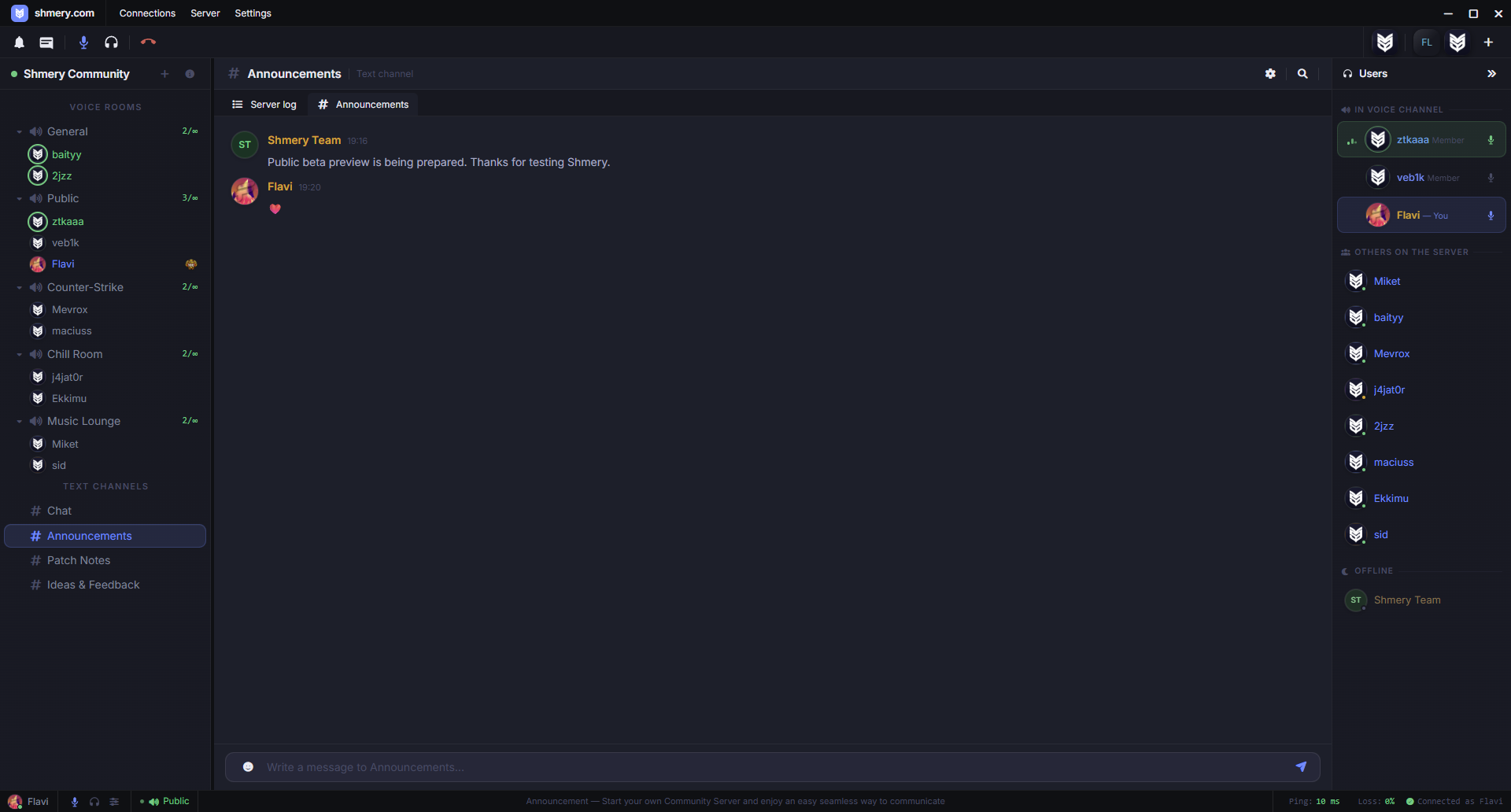
The first thing I want Shmery to get right is the basic server experience. You open the app, pick a server, see channels, see people and start talking. That sounds obvious, but a voice app becomes annoying very quickly when it treats simple things as heavy interactions.
The current layout is intentionally familiar: server shortcuts, channels, chat, user list and the bottom voice controls. The point is not to surprise people with navigation. The point is to make the actual community feel predictable and fast.
Voice channels can have their own attached text chat, regular text channels exist alongside them, and visual break channels can be used to organize larger server layouts without forcing people into fake rooms just to keep things readable.
Voice-first structure with text support where it is useful.
Saved servers are visible immediately instead of being buried behind menus.
The app keeps the daily-use surface focused: channels, people, messages and voice controls.
Permissions needed to be more serious than a simple role list
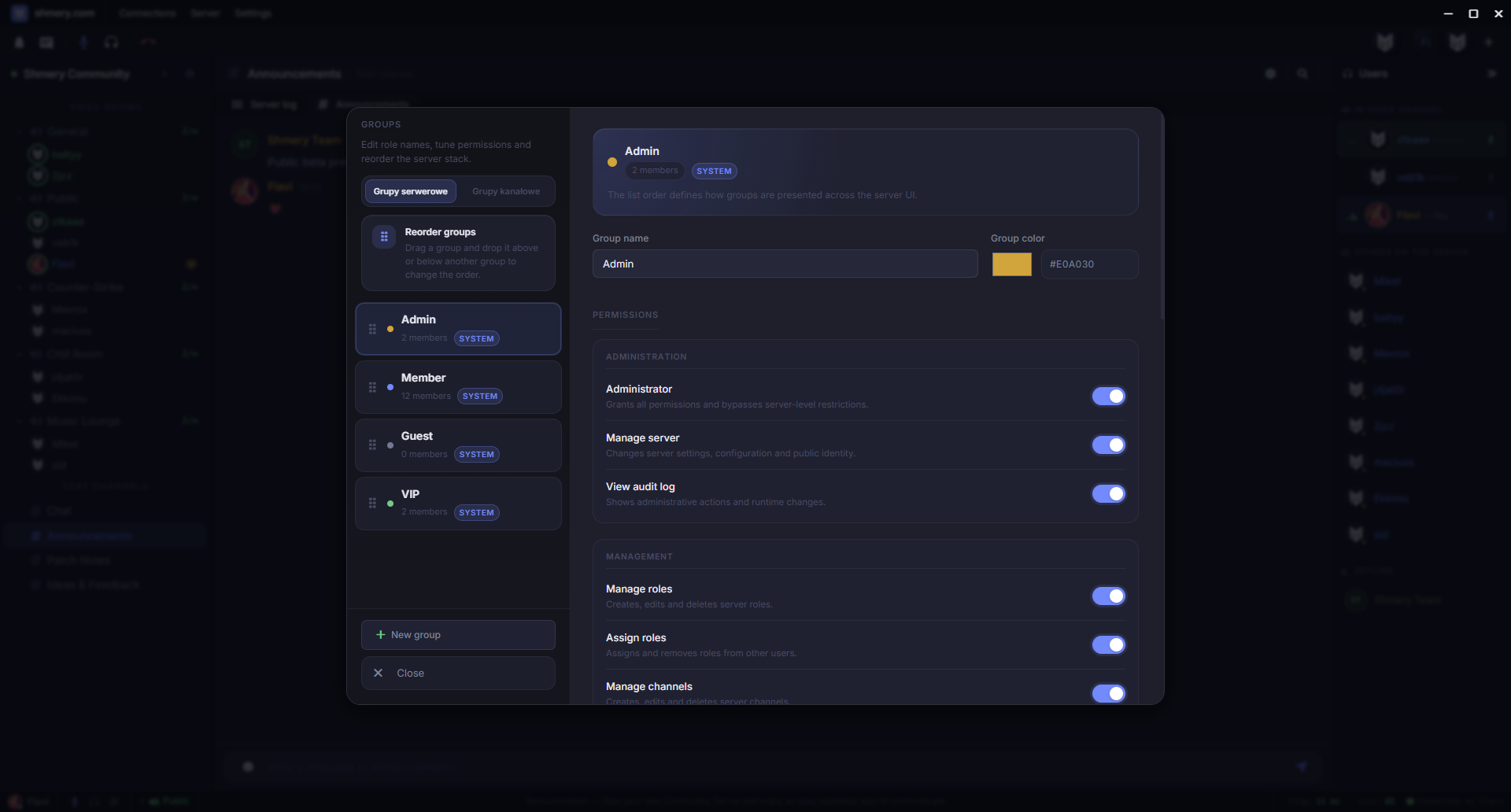
For small servers, permissions can be simple. For communities that grow over time, simple permissions become a problem. Shmery needs to support server groups, channel groups and channel-level decisions without turning the whole admin experience into a spreadsheet.
The current groups and permissions panel is built around that idea. Server groups handle broad identity and moderation rules. Channel groups are for more local situations, where a user should have extra power only inside a specific channel or section.
This matters because a voice server is not just a list of rooms. It is a living community with trusted people, temporary access, moderators, private spaces and public spaces. If the permission model cannot express that cleanly, admins eventually start abusing workarounds.
Voice settings have to be understandable
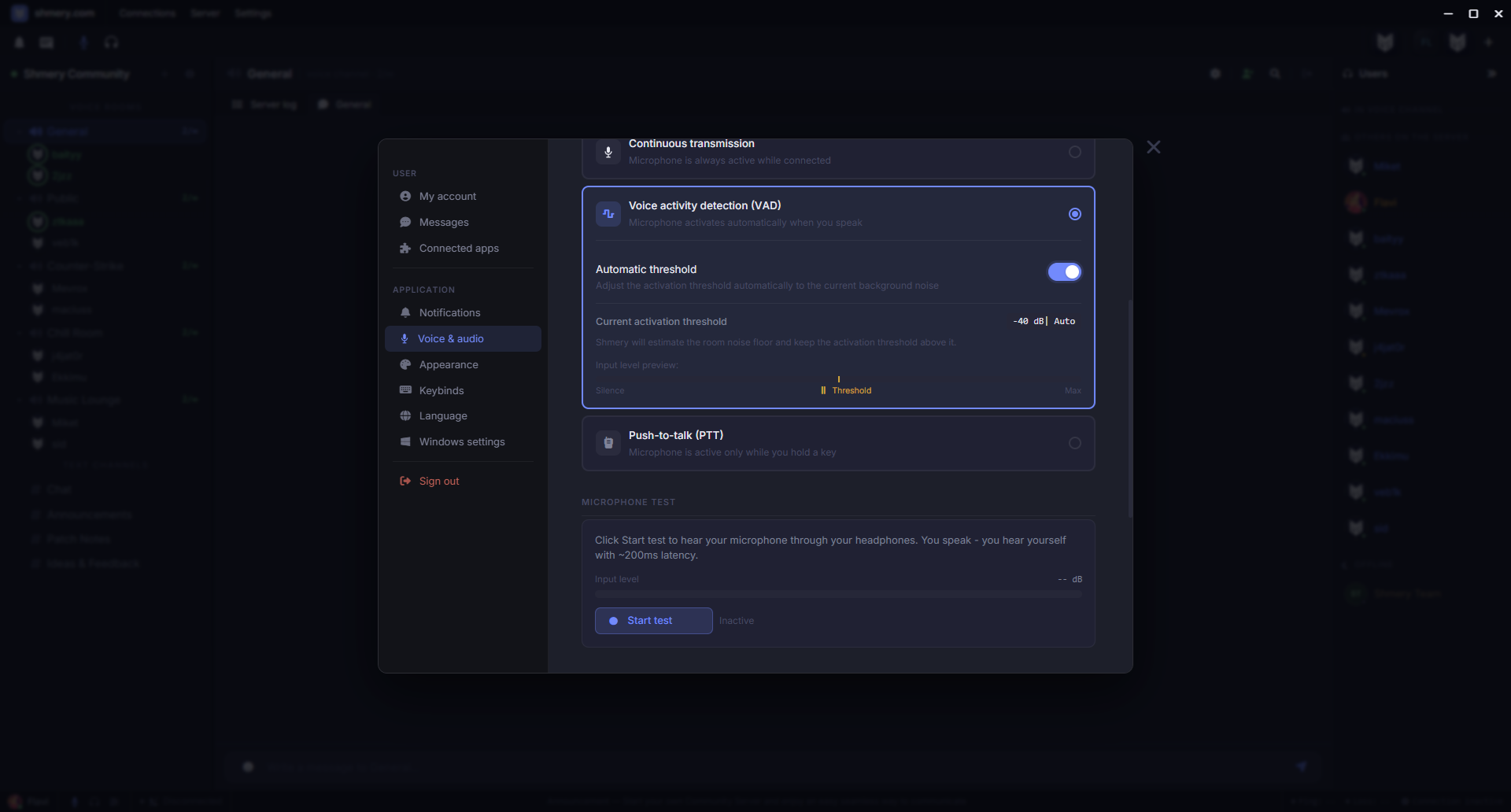
A voice app lives or dies by audio. But audio settings also become intimidating fast if every option is presented like a recording-studio plugin. Shmery's current approach is to expose the controls people actually need and keep the flow practical.
Voice activity, input testing, noise reduction, echo cancellation and codec settings are available in one place. The goal is not to make every user become an audio engineer. The goal is to make the common cases easy: test the mic, adjust the threshold, pick input and output volume, and know whether the app is actually detecting speech.
This is one of the areas that will keep improving. The current build is already much better than early versions, but voice quality is not something I consider done just because it works.
Connecting to a server should stay boring
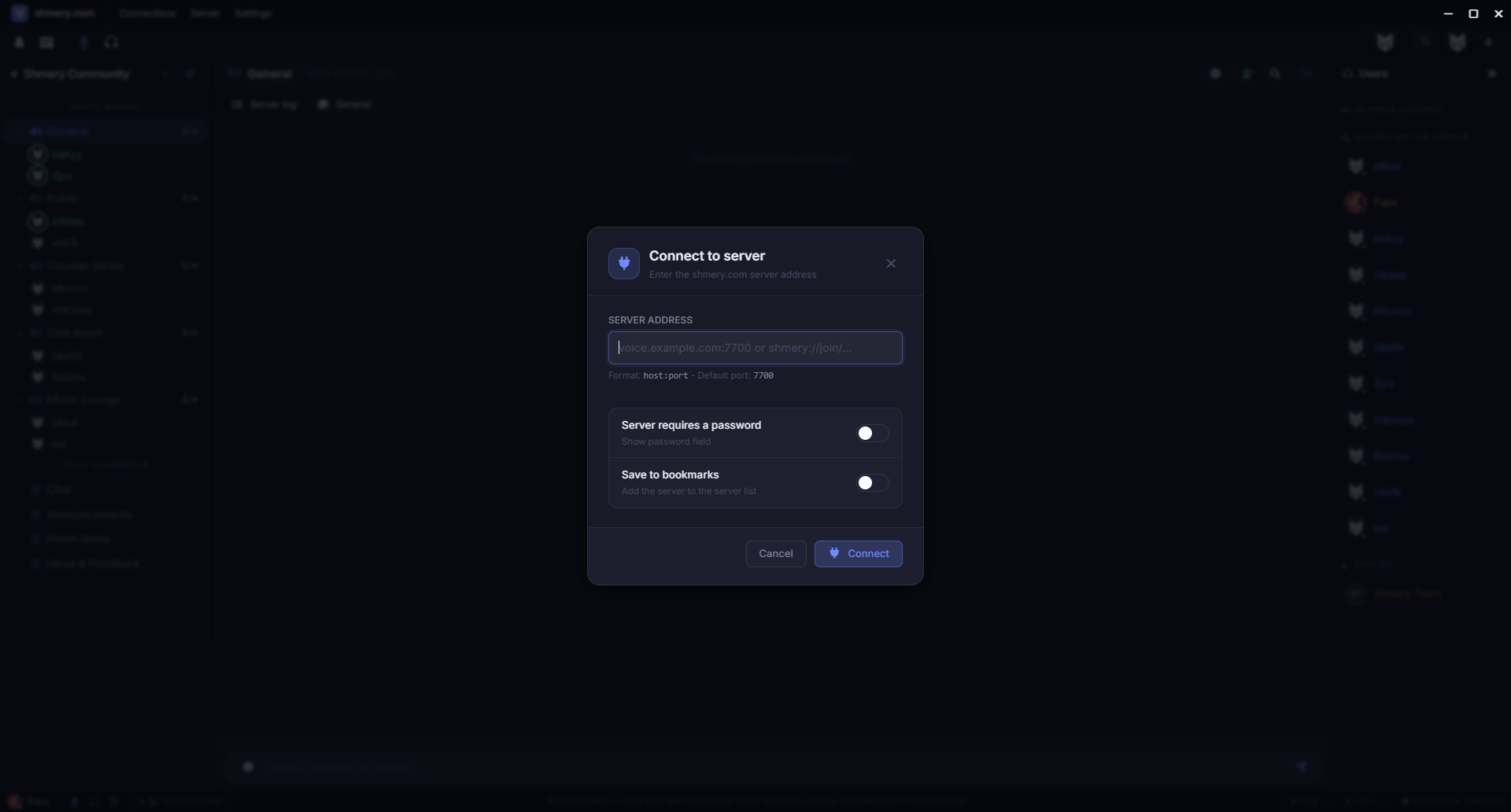
The server connection flow is deliberately plain. Enter the address, connect, then save the server if you want it in your sidebar. A lot of product design is removing fake cleverness from places where people just want the thing to work.
Self-hosted servers are an important part of Shmery, so connecting by address has to feel normal. At the same time, the app needs to keep enough structure around identity and server state so the experience does not feel like a raw debug client.
That balance is still important: make self-hosting accessible without making the app feel unfinished.
Channel creation is part of the daily admin flow
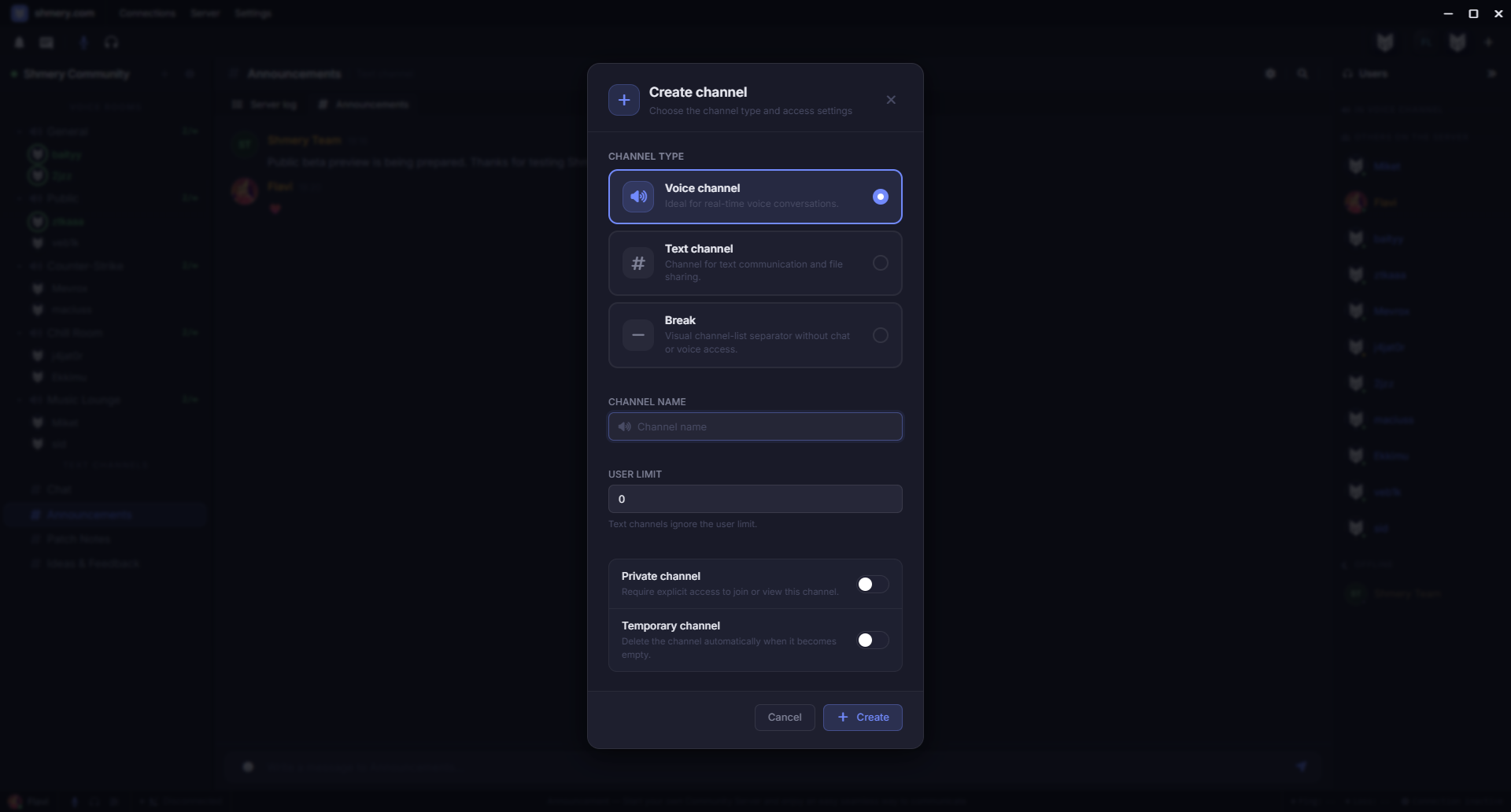
Creating channels is not a rare admin-only event on real community servers. People create temporary spaces, private rooms, text channels, voice channels and visual separators to keep a server readable.
That is why the creation modal has to do more than ask for a name. It needs to understand channel type, privacy, temporary behavior and the special break-channel layout used for organizing sections.
The important part is that the app should not make owners edit config files for basic structure. If a server owner wants to create a new voice room, add a text channel or split a layout into sections, that should happen inside the desktop app.
Editing a channel is where permissions become visible
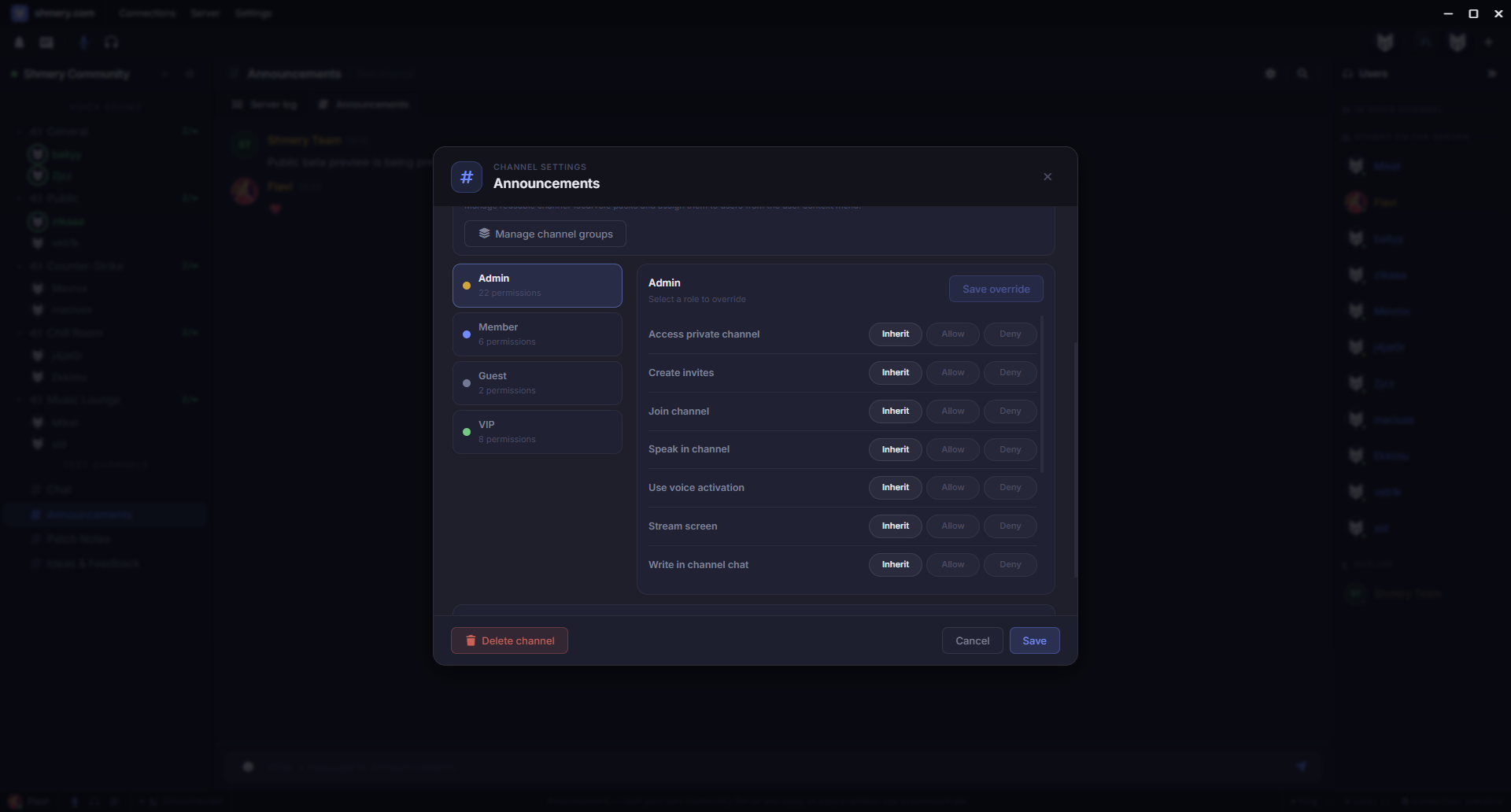
Editing is the other half of channel management. This is where the product needs to show the difference between a toy server list and a real community tool.
A channel can have its own settings and permission overrides. That makes it possible to keep a normal public area, private spaces, moderated sections and more specific access rules without turning every exception into a new global role.
The current UI still needs more polish over time, but the structure is already there: a server owner can open a channel, change behavior and adjust permissions in a way that maps to how communities actually operate.
Why this matters for the beta
For public beta, I care less about having the longest feature list and more about whether the current feature set feels coherent. A lightweight voice app can have a lot of power, but it should not feel like six unrelated panels glued together.
The app needs to answer the basic questions quickly:
- Where are my servers?
- Where are the voice and text channels?
- Who is online and who is in voice?
- How do I control my microphone and output?
- How do I manage groups, permissions and channels without leaving the app?
If those questions have clear answers, Shmery starts to feel like a real alternative for communities that want something lighter and more controllable than a huge general-purpose communicator.
Still alpha, but now it is becoming usable
I still describe Shmery as alpha because I would rather be honest than pretend a clean interface makes a product finished. There are always more edge cases to test, more sync paths to harden, more audio improvements to make and more rough edges to remove.
But the current state is no longer just an idea. It is an app with a working desktop client, account flow, self-hosted voice servers, text channels, permissions, badges, avatars, updates and a real path toward public beta.
That is the point of this post: not to claim Shmery is finished, but to show that the product is becoming concrete enough to judge by the actual app instead of just the idea.
If you want the origin story first, read The story of Shmery. If you want to try the account flow, open Shmery in browser.